
Quick Answer
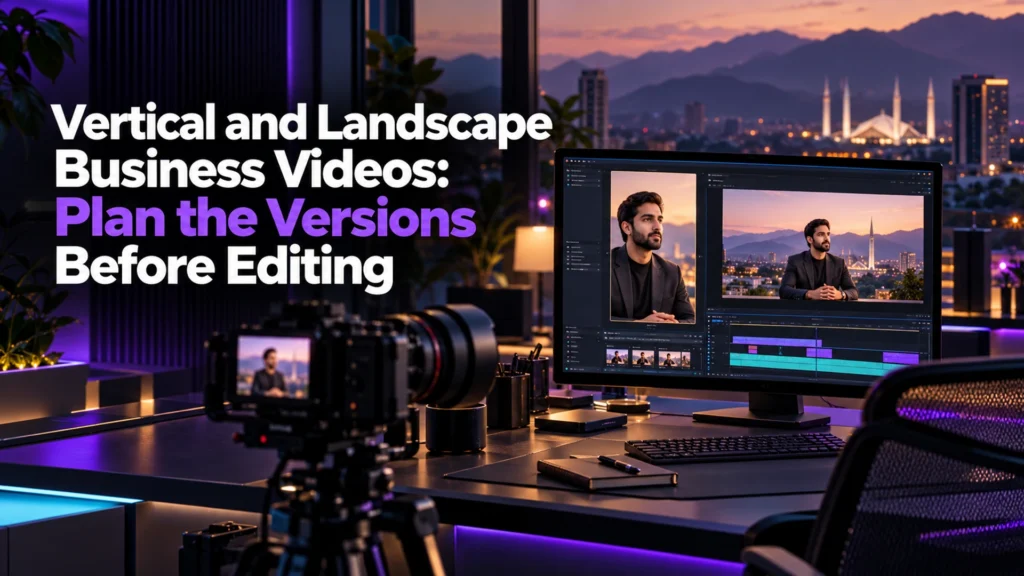
Planning vertical and landscape business video versions before production prevents awkward cropping, missing text overlays, and costly re-edits. Document target channels, subject positioning, safe text zones, and separate approval sign-offs in a delivery brief before filming starts. Establishing multi-format framing rules early protects visual balance and ensures brand assets remain legible across every distribution feed.
Introduction
Modern marketing campaigns rarely rely on a single screen orientation. One announcement may need a website version and a separate portrait cut. Without a delivery plan, cropping can hide the speaker or the product.
Deciding multi-format requirements before filming changes how directors frame subjects, where graphic designers place titles, and how stakeholders review drafts. Planning delivery versions prior to production establishes realistic creative constraints. It gives internal teams and external creative agencies clear technical boundaries, protecting visual clarity and brand presentation across every target channel.
Why Multi-Format Planning Must Precede Filming
Reformatting wide footage into vertical presentations after filming introduces structural compromises. When a videographer records an interview subject positioned off-center for a cinematic horizontal composition, cropping that master clip into a tall 9:16 frame cuts the subject in half or requires constant manual panning. Similarly, text overlays, identity badges, and product displays designed for wide screens regularly clash with platform navigation icons when converted without prior planning.
General editorial guidance published on the Adobe Blog recommends considering your intended publishing orientation during recording rather than leaving orientation adjustments entirely to post-production. While platform specifications update frequently, the core principle remains consistent across formats: camera operators must compose shots with every final distribution aspect ratio in mind.
When internal teams outline all required deliverables before booking studio space or hiring contractors, crews can set up safety guide lines on field monitors. This practice ensures presenters, demonstration products, and essential background elements remain inside common zones that survive both horizontal framing and vertical extraction.
Choose Versions for Actual Placements
A landscape frame can accommodate a presenter beside a product or a wider setting. A portrait frame offers less horizontal room, so the same arrangement may need a different shot. A square version can be useful for a specified feed or website container. None is automatically the best choice for every business.
List the placements you will actually use. Check current requirements in each destination before agreeing exports; an old tutorial is not a reliable source for today’s upload limits. The aspect ratios below are examples for planning, not universal platform specifications.
Test the intended viewing context too. A technically accepted upload may still leave small text unreadable on a phone. A crop that keeps a face can omit the product being discussed. Review the whole message, including demonstrations, captions and the final call to action.
Essential Delivery Brief Decision Fields
To prevent production disputes and post-production bottlenecks, marketing leads should provide a standardized brief before any camera turns on. A delivery brief documents operational parameters across production, post-production, and administrative review.
When structuring a creative assignment, teams often cross-reference comprehensive design rules such as a brand identity design Pakistan logo guidelines handover checklist to maintain consistent typography, color codes, and logo clearing spaces across every visual frame. Similarly, commercial teams evaluate production scope against practical baseline parameters outlined in a video editing cost Pakistan quote factors guide, ensuring planned cutdowns align with editing timelines and reviewer capacities.
The following practical comparison table outlines the primary decision fields teams should define prior to filming:
| Delivery Aspect | Horizontal Format (16:9) | Square Format (1:1) | Vertical Format (9:16) | Operational Decision Owner |
|---|---|---|---|---|
| Primary Screen Focus | Desktop monitors, embedded web players, presentation displays | Mobile and desktop social newsfeed scrolls | Full-screen handheld mobile applications | Campaign Strategy Lead |
| Camera Subject Staging | Center or rule-of-thirds offset with lateral scenic context | Framing chosen for the subject | Framing tested for the intended portrait crop | Director of Photography / Camera Operator |
| Graphic Safe Zone | Top, bottom, and outer borders protected from screen clipping | Uniform outer margin buffer on all four edges | Strict top and bottom clearances clear of native UI icons | Motion Graphic Designer |
| Subtitle Positioning | Position tested in the chosen player | Position tested against the destination interface | Readable position clear of important action and controls | Post-Production Editor |
| Review Ownership | Primary corporate stakeholder group | Social feed media buyer or brand manager | Community manager or short-form content producer | Assigned Project Manager |
Test a Sample Composition
Before filming the full script, test a representative shot in both required orientations. Check the presenter, product, gestures and text space. If one frame cannot show the essential action, plan separate takes rather than assuming a higher-resolution recording will solve it. Record the accepted approach in the brief.
The Version Handoff and Pre-Production Checklist
A structured verification process prevents critical oversights between the initial strategy session and the final post-production handoff. Teams should verify the following checklist items before approving a production call sheet:
- Defined target distribution channels and verified current aspect ratio preferences for each specific campaign placement.
- Documented graphic safe zones delivered to the motion design team to prevent overlays from colliding with platform interfaces.
- Confirmed camera resolution and sensor recording modes sufficient to allow cropping without unapproved visual degradation.
- Defined review stages specifying whether horizontal masters and vertical adaptations receive sequential or simultaneous stakeholder sign-off.
- Established asset naming conventions identifying format orientations, version dates, and language variations cleanly.
- Outlined project scope clearly alongside comprehensive creative offerings on dedicated services documentation.
Hypothetical Case: Multi-Format Product Showcase Planning
To understand how these structural boundaries function during pre-production, consider an explicitly hypothetical planning scenario.
A consumer goods business based in Lahore plans a studio launch video for a packaged kitchen appliance. The marketing team requires a widescreen video for the corporate website homepage, three square variations for paid digital catalog carousels, and four short vertical product demonstrations for mobile feeds.
During the pre-production intake meeting, the camera operator notes that the proposed kitchen studio set measures only three meters wide. If the presenter stands on the left side of the counter while operating the appliance on the right side, a standard horizontal shot will encompass both elements easily. However, cropping that same composition into a 9:16 vertical frame will inevitably sever the presenter from the appliance, forcing the editor to jump back and forth between panning shots or hide the product altogether.
The production coordinator opens the multi-version intake brief to resolve this issue before renting studio space. The team evaluates three documented paths:
- Option A: Record the script once using a continuous wide angle, relying on post-production digital reframing to isolate the presenter and appliance separately.
- Option B: Schedule two dedicated recording passes for every demonstration step, filming horizontal takes first and adjusting lighting and camera orientation for vertical takes second.
- Option C: Adjust the physical kitchen set layout, staging the presenter directly behind the countertop appliance so all functional movements remain within a tight vertical center line throughout a single filming pass.
The producer compares these options against the agreed budget and available recording time. A sample frame in both orientations helps the business approve the trade-off. Our projects can support a discussion of presentation, but your own demonstration needs its own framing test.
Review Each Version as a Complete Deliverable
Do not approve a portrait version solely because the landscape edit was accepted. Watch the full exported file at a realistic phone size. Check that the headline, speaker name, captions and call to action remain readable and do not cover a product detail or face.
Review sound and caption meaning together. Reframing can change which person is visible, while a cutdown can remove the context needed to understand a sentence. Shortening a video should not create an unsupported claim or leave a demonstration unfinished.
Agree on review order before editing. Some projects benefit from approving the narrative first; others need portrait and landscape sample shots together because composition is the main risk. There is no requirement that a landscape master always comes first.
Use filenames that identify orientation, language and revision. Record the approved file for each destination so a later change to a title or offer is checked across every affected version. Do not rely on a message saying “latest one” when several exports are circulating.
Frequently Asked Questions
Orientation planning must occur before filming because camera operators need to frame subjects, lighting, and action to fit both horizontal and vertical viewports. Cropping wide footage into vertical compositions without advance planning frequently cuts off speakers, forces awkward digital zooming, and reduces final image clarity. Planning ahead ensures monitor guide frames protect essential visual elements for every final aspect ratio.
Automated tools can detect faces and track basic movement across a frame, but they cannot assess intentional aesthetic balance, brand safe zones, or deliberate visual hierarchy. When two speakers converse or when an action occurs away from the main subject, automatic cropping algorithms often create abrupt camera movements or crop key demonstration details. Review the result against the actual brief; automated reframing is a starting point, not approval.
Vertical mobile platforms place interactive user interface icons over the viewing frame, including engagement buttons on the right, account details and captions at the bottom, and audio or search headers across the top. Placing brand logos, subtitles, or key product visuals near these outer edges obscures them behind native interface graphics, making safe-zone protection essential during design and editing.
Multi-version delivery expands post-production timelines because each aspect ratio requires individual composition checks, custom subtitle positioning, graphic reformatting, and dedicated export rendering. When teams anticipate these formats prior to production, editors assemble templates in parallel, making the extra work visible in the agreed scope rather than discovering it at delivery.
High-resolution capture provides extra pixels, allowing editors to reframe shots slightly without visible pixelation, but it does not fix obstructed sightlines or unnatural subject cuts. If a presenter gestures widely outside the central vertical corridor or stands directly adjacent to a prop, high resolution will not pull both elements into a narrow vertical frame without awkward panning.
The marketing strategist, campaign lead, or media planning buyer holds final responsibility for defining orientation specifications. These requirements depend entirely on the paid media placements, social platforms, and website display containers selected for the distribution campaign. Production teams rely on these technical parameters to configure cameras, frame sets, and format graphics appropriately.
Final Thoughts
Balancing landscape business presentations with vertical mobile cutdowns requires disciplined pre-production planning rather than emergency post-production salvage operations. When marketing teams define technical parameters, subject staging rules, graphic boundaries, and approval stages before setting foot on set, video assets maintain their visual integrity across every screen.
Careful version planning protects production investments, streamlines editorial revisions, and delivers consistent brand experiences regardless of how viewers encounter your media. If your team is organizing an upcoming media campaign and requires structured support across format planning, workflow design, or post-production delivery, explore our published resources or reach out through our contact us page to coordinate your project scope.